Releasing Software Is Hard! Is it?

One of the things I always got frustrated with is software releases and versioning.
In the old days, back when I started to work at my first job as a software engineer my team leader handled all of the project management. It means he knew what issue you're working on at the moment, and when (in what version of the software) it should be merged and be released. To this day I think the versioning was just a random thing there - doesn't mean anything except for all of us to be on the same page when we talked about it or reference it.
Bugs and features were pushed forward to next versions without any real systematic reasoning about it, and I knew something about it was off. That's when I opened up my browser and just started googling about the topic. I searched and read a lot, and finally I ran into Semantic Versioning.
1. Semantic Versioning
Semantic Versioning (or semver) is basically a simple set of rules and requirements that dictate how version numbers are assigned and incremented. In practice SemVer is probably similar to what you're already doing right now, but similar is worthless. Because without compliance to some sort of formal specification, version numbers are essentially useless for dependency management.
Semantic Versioning was authored back in 2011 and it's already widely used by the open source community. All the major open source projects embraced it, so it's at least worth reading the specification. Once you follow the semver specification your version numbers and the way they change convey meaning about the underlying code and what has been modified from one version to the next.
If that's not convincing you maybe the fact that the Semantic Versioning specification was originally authored by Tom Preston-Werner (cofounder of GitHub) will.
So, if you're still reading this post I assume you're somewhat interested in semver. So go read the specification, it's short, concise, and translated to a lot of languages. I'll just mention the basics: A version format is X.Y.Z (Major.Minor.Patch respectively). The Major is incremented if the API additions/changes are backwards incompatible (i.e. breaking changes). The Minor is incremented if the API additions/changes are backwards compatible. And the Patch is incremented if a bug fix not affecting the API at all.
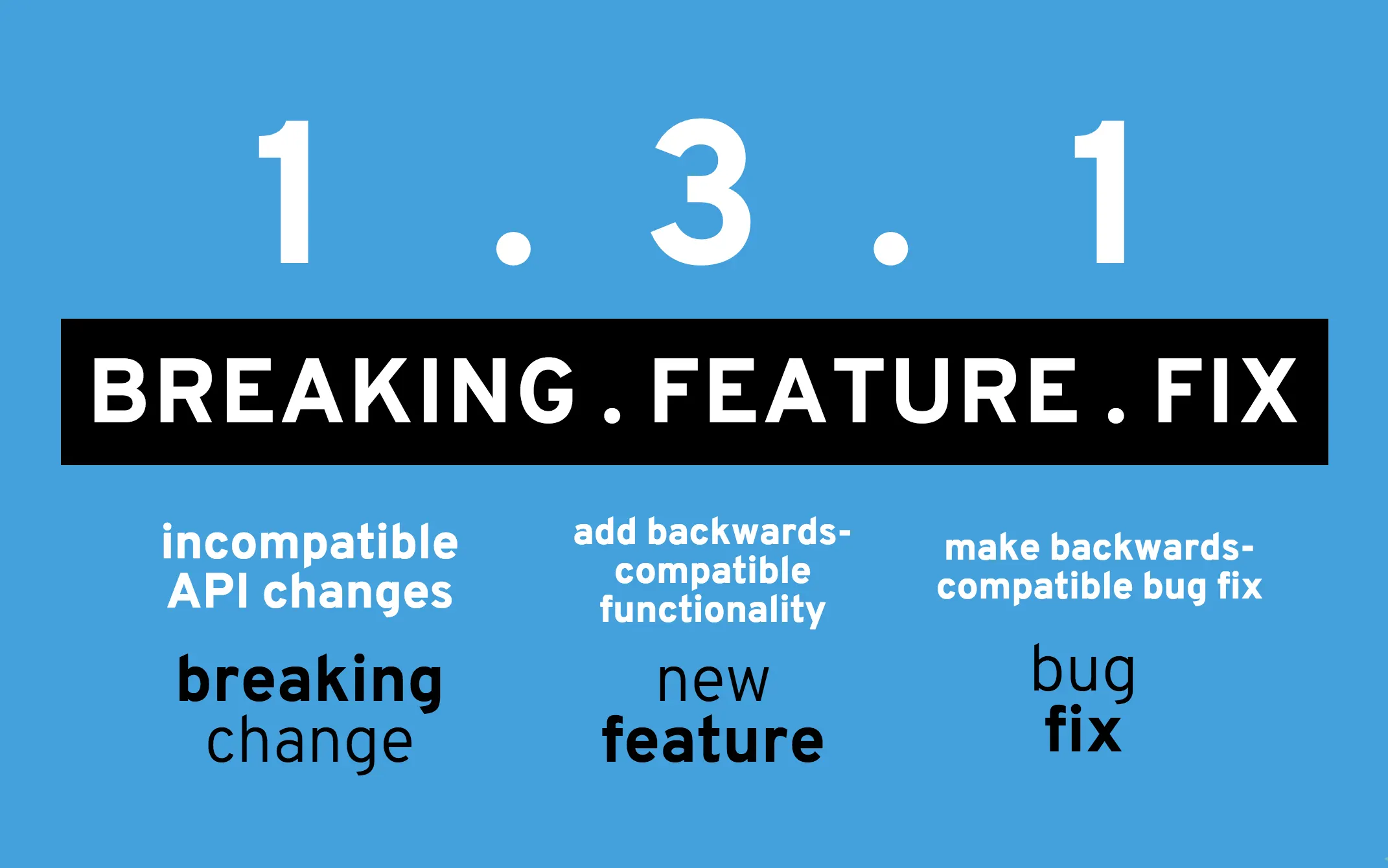
2. Sounds Great, but..
Semantic Versioning sounds great, but it presents a new problem. Every release someone has to sit down, read the issues/pull requests and write a changelog for that version, from that changelog he should bump the version of the software accordingly. This sounds like a really tedious manual job. This alone kept me from really using SemVer for a long time.
Until I found semantic-release! Which is a tool to automate the whole package release workflow (determining the next version number, generating the release notes - changelog, and publishing the package). This removes the immediate connection between human emotions and version numbers, strictly following the Semantic Versioning specification.
To make our life even simpler we can use the Release me! GitHub action which uses semantic-release under the hood.
But how semantic-release knows what part of the version it should bump? It uses the commit messages to determine the type of changes in the codebase. So that means we need to adhere to a specific commit message format. By default the semantic-release follows the Angular Commit Message Conventions, but you can change it with a config file. We'll not change it for this post because this format is widely used by the open source community.
I'm starting to get a feeling here we're just kicking the ball to different places and don't really have a solution to the problem. Because now we need to learn and manually write our commit messages in a specific format.
3. Let's solve this once and for all
You're sort of right. Our problem is still present, but those other problems were still present before we talked about them, we just didn't mention them. But fear not, Conventional Commits to the rescue. The Conventional Commits specification is a convention on top of commit messages that provides a set of rules for creating an explicit commit history. And I know what you're thinking to yourself right now "another specification?!".
Again, fear not my young padawan. commitizen - a command line utility will help us commit and will guide us through every commit.
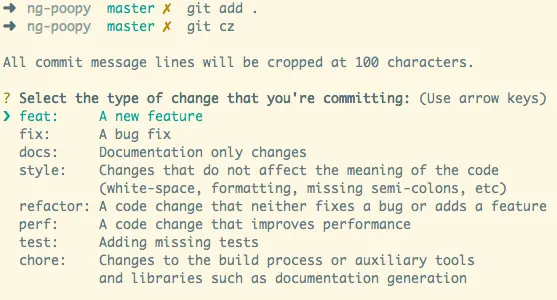
So, let's recap all the tools so far. If we use commitizen for commits, our commit messages will be in a format compatible with Angular Commit Message Conventions and Conventional Commits. If our commits are compatible with those formats semantic-release will determine the next version number, generate the release notes, and publish the package by the Semantic Versioning specification. Perfect!
4. Time to get our hands dirty
Let's start by creating a simple package.json file with npm in our project directory (let's call it deweb because that's what the namelix generator generated for us).
mkdir deweb
cd deweb
git init
npm init
echo node_modules >> .gitignore
Here are my configurations.
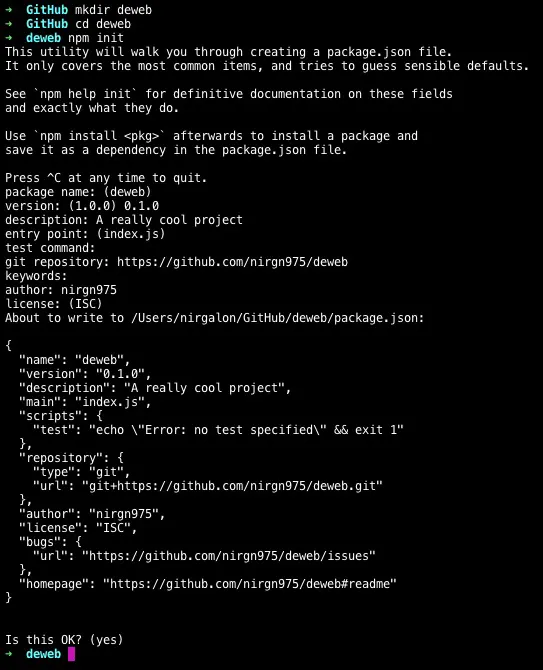
Now we need to install commitizen and make our repo commitizen friendly
npm install commitizen -g
commitizen init cz-conventional-changelog --save-dev --save-exact
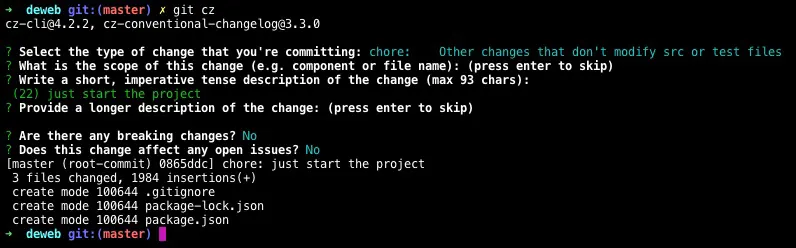
This just tells commitizen which adapter we actually want our contributors to use when they try to commit to this repo. And now you can use git cz command instead of git commit and the commitizen prompt will guide you through the commit message and commit all the files.
git cz
5. Release the damn thing
Now, we can use semantic-release manually to automatically generate the release (I mean to write the command by hand every time we want to create a new release). But we can do it even better! Why not do it automagically in GitHub actions, and even tie it up to GitHub milestones.
So, let's create a GitHub action that uses the Release me! action and runs every time there is a milestone event on GitHub.
mkdir -p .github/workflows
touch .github/workflows/cd.yml
In this file you should copy the default template of a GitHub action, and use the release-me-action. Then you need to change the on key on the top of the file to milestone and only trigger when a milestone is closed.
name: Continuous Deployment

on:
  milestone:
    types: [closed]

jobs:
  deploy:
    runs-on: ubuntu-latest
    steps:
      - uses: actions/checkout@v2

      - name: Create Release 🚀
        uses: ridedott/release-me-action@master
        env:
          GITHUB_TOKEN: ${{ secrets.GITHUB_TOKEN }}
        with:
          release-branches: '["main"]'
Now let's commit the new file and push it to GitHub.
git add .
git cz
git push origin main
The last thing we need to do is to create a milestone in GitHub, then look at the Actions section and see our workflow, but we notice it doesn't run yet.
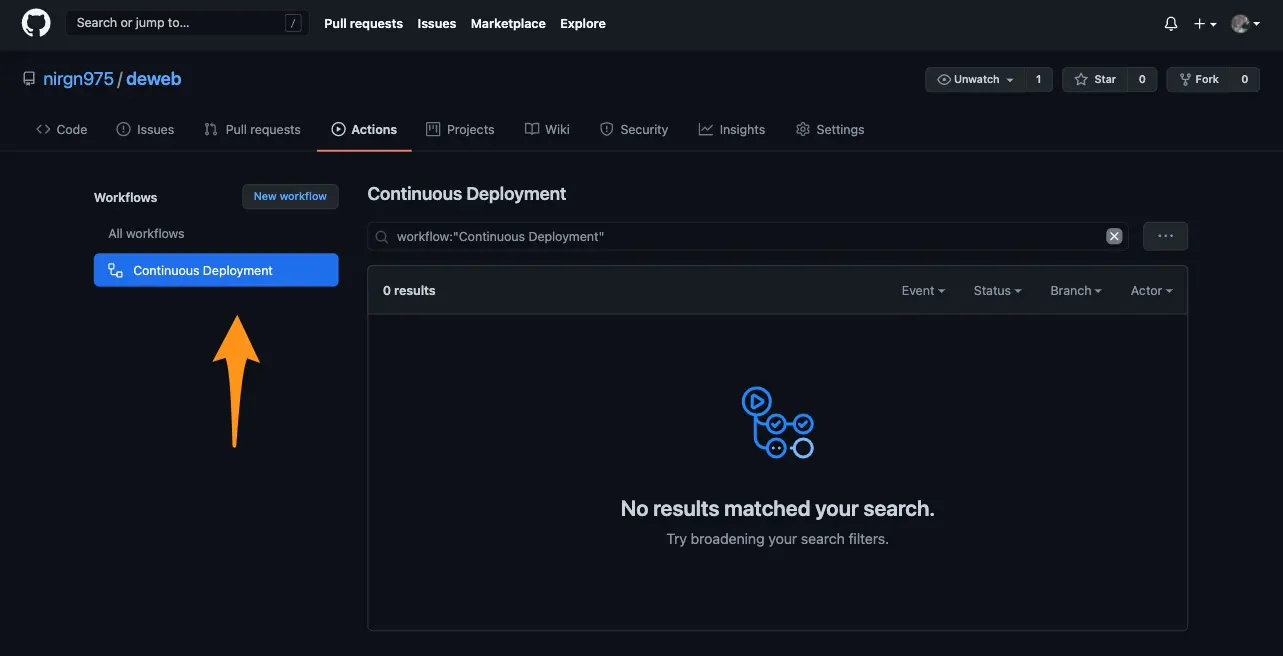
Then let's close the milestone (just hit the close button), and refresh the Action tab.
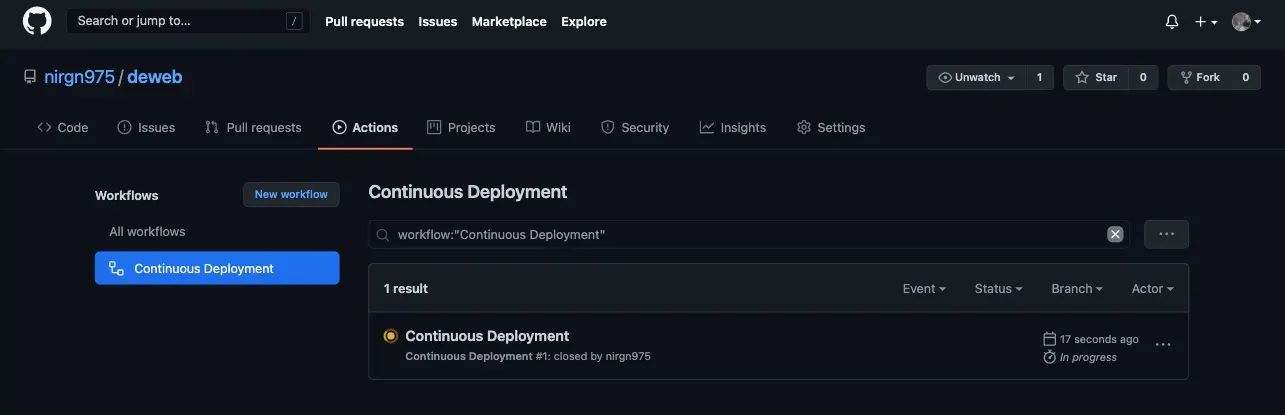
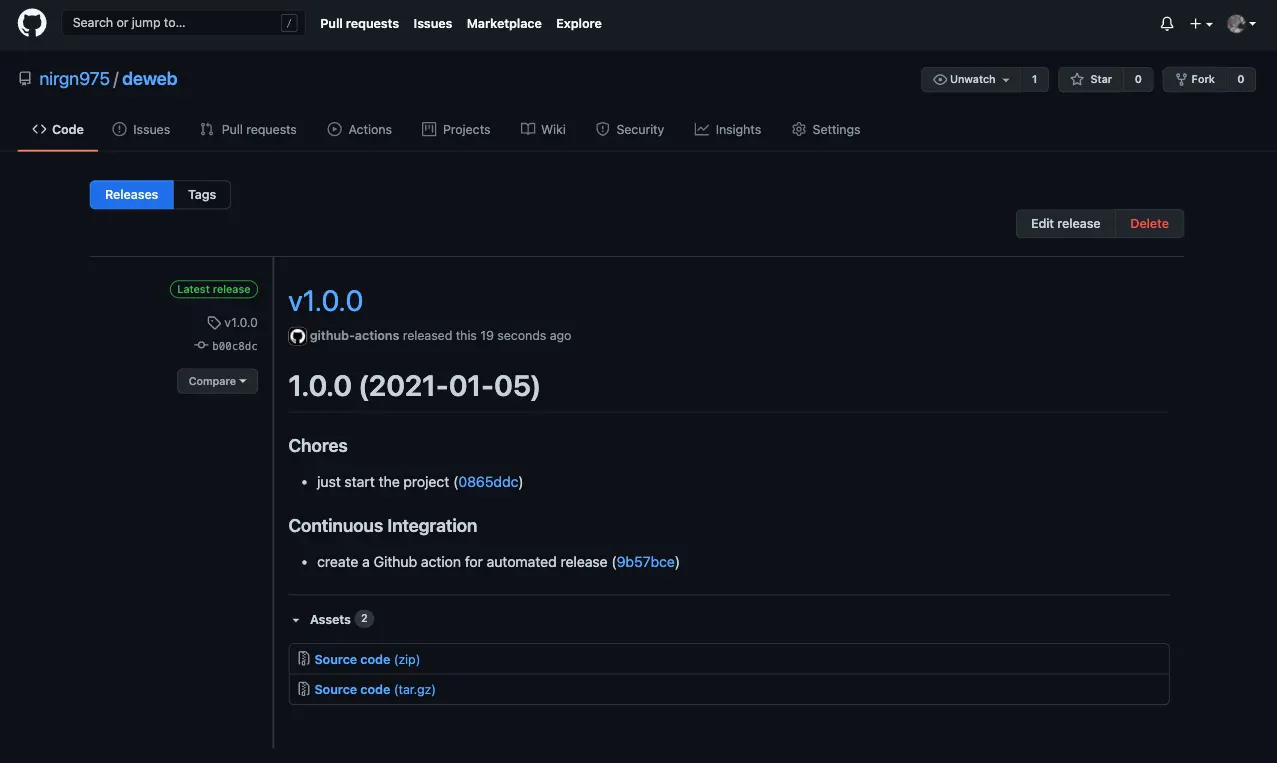
And when the workflow finishes running, let's open the releases page and see our new release (you can notice the action also created a changelog.md file with all the changes, and it'll update this file with every release).
6. Summary
To recap, we now release our software automatically without any human intervention except to close the milestone (we can easily change it on the GitHub workflow). Our commit messages are nicely organized with commitizen by the Conventional Commits specification. Our release happens automatically with GitHub actions. And the release itself is generated with semantic-release - the next version number, the release notes and the publishing itself to GitHub releases.
If you want to see it all happen or maybe got stuck along the way, just go over to the deweb repo on GitHub and check out the code.